Personal Store
Here in Lost Tale we offer a Exclusive Personal Store system where you can sell your items while offline.Also you are able to sell items for Gold or Coins accor...
Here in Lost Tale we offer a Exclusive Personal Store system where you can sell your items while offline.
Also you are able to sell items for Gold or Coins according to your preference.
The system was created to make it more confortable and create an special game experience for each user.
Features:
- Sell items while offline.
- Create a copy of your character to use as an special mule to sell items.
- Options to sell in Gold or Coins.
- Special filter to limit only rare and valuable items to be sold for coins. (List at the end of the guide).
- All items sold in Personal Stores will appear in the Marketplace, where they can be viewed and purchased by other players.
- Retrieve yourGold at Distributor.
- Receive your Coins automatically.
- Personal Store premium can be obtained at Vote, Token and Coin Shops.
First step to open your Store is get the Personal Store premium.
This item can be found at Vote, Token or Coin Shops.
There is four types, 7, 14, 21 and 30 days.
The time of this premiuns runs according to the calendar and never stops.
Also you can have only one Storeper account.
If your Store expire the items will stay inside it, until you open it again.
Note that this premiuns can be used as many time as you want, and the duration is added everytime you use it.
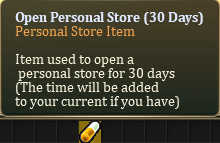
After that you will "Right Click" on it.
Automatically a copy of your character will be created on the current location.
If you use that while mounted, your mule will be mounted as well.
This mule is your Personal Store seller.
He is able to sell your items when you are offline or doing other stuff in the game.
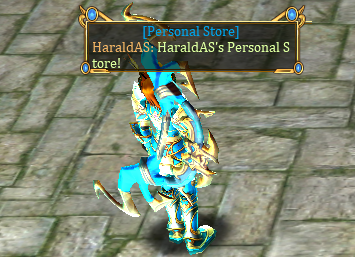
This Store have an special border that differ from normal Shops.
Your own Store it'sSilver color.
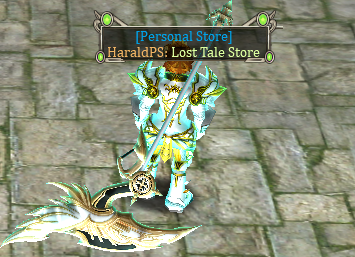
Configuringyour Store:
To configure your Store you will speak with your mule.
A window will open, where you can set up a Store Name and add the items you want to sell.
There is a option to hide it for other users if needed.
Also this window shows other informations like number of registered items and the Store expire date.
To change the Store Name you will need to choose a name and then click on "Update".
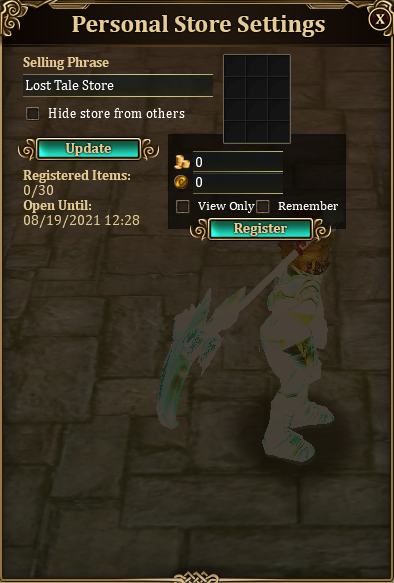
To register one item you will need to drag it to the Register Window, and set up the value that you want to sell, and then click "Register".
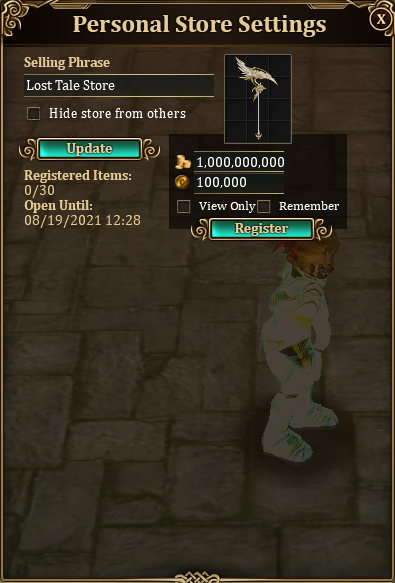
Every item added will be updated automatically on the store, and after register all your items it will look like this.
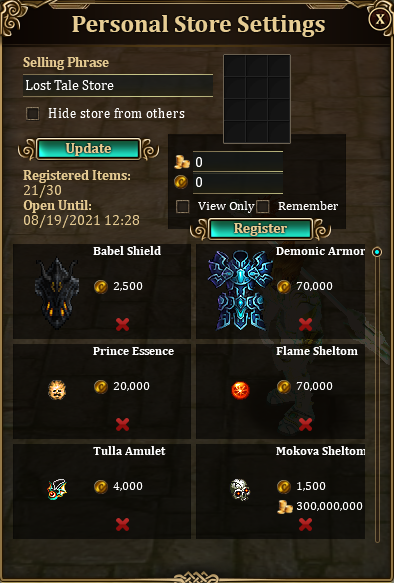
To remove an item you just need to click on the "X", and it will be sended directly to your inventory.
When you sell an item the Gold will be automatically sended to your distributor.
In case of Coins it will be automatically added to your account.
Also you will receive an special message on the chat that shows the item that you sold and how much you received.
Note that there is a 1% server tax for every item sold.
Moving or Removing your Store:
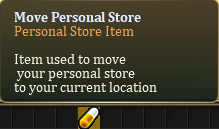
To move your Store you will choose the new position with your main character and use the item Move Personal Store.
It will be automatically repositioned to your current location.
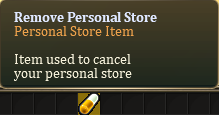
In order to Remove you will need to use the item Remove Personal Store.
Note that when removing your Store the duration will be reseted, and the items will stay in the Store until you open it again.
Teleporting to your Store:
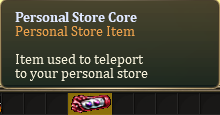
To simple found your store you can use the special Personal Store Core.
It will teleport you directly to it.
This item is sold at Special Shopin main towns.
Buying from other Stores:
To buy items from other users is very simple.
You will find Stores with golden borders, that indicate it isfrom other players.
Click on the player muleand the Store Window will be opened.
Stores that you already saw will show in a orange border color.
You can choose between Gold or Coins when buying an item, depending on the seller options.
Note that in this window you can checkif the user is online, and when the Store expire.
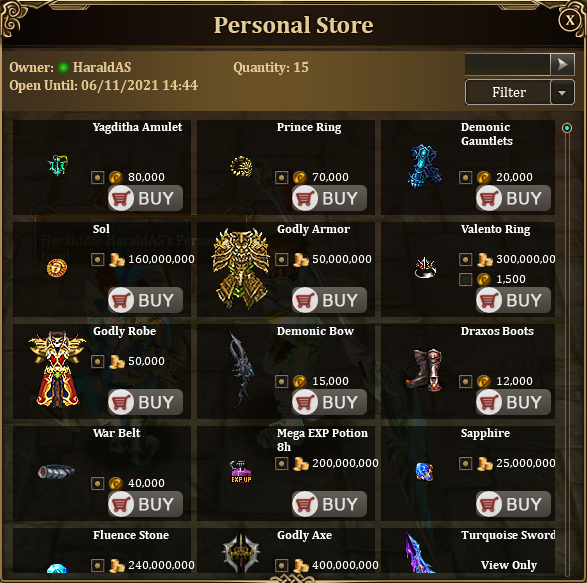
After buy an item it will be automatically sended to your inventory.
Also a special message will show on the chat with the purchase information.
Items allowed to sell for coins:
- Boss Items.
- Items 136+.
- Aged items above +19.
- Boss Essences.
- Belts.
- Epic and Legendary mounts.
- Skins.
- Supreme Runes.
- Runes above 39 HP.
- Rare Ores and Crystals.
- Rare SoulShards.
- Diamond and Adamantium Bars.
-
-
-
-
-