Collection
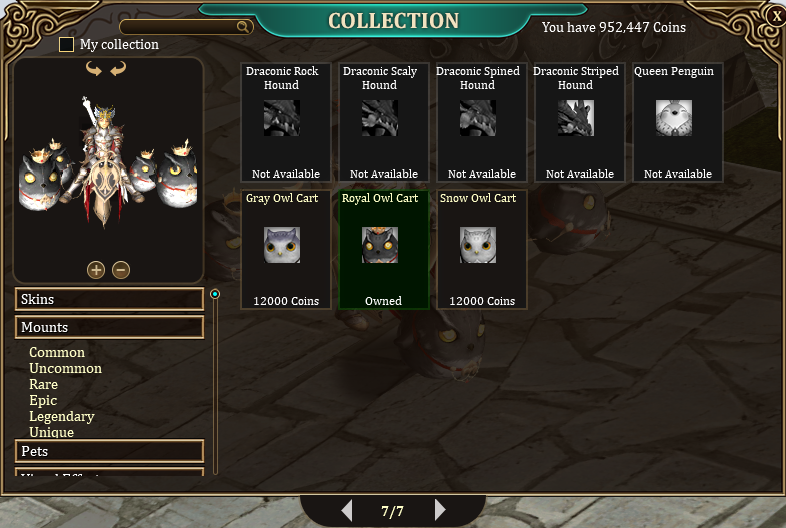
The Collection is where all types of cosmetics are stored in the account.This way, players can customize their characters quickly and easily whenever they want....
The Collection is where all types of cosmetics are stored in the account.
This way, players can customize their characters quickly and easily whenever they want.
Features:
- Add cosmetics to your Collection to be used whenever you want. - Cosmestics include, Skins, Mounts, Pets, Hairstyles, Visual Effects and Animations.
- Customize your account characters however you want.
Adding Cosmetics:
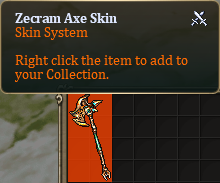
Adding cosmeticsis very simple, just "Right Click" on the item, and it will be sent to the Collection.
Some cosmetics can be purchased directly from the Collection, while others are unavailable and must be obtained elsewhere in the game.
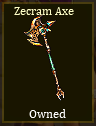
When a cosmetic has already been added to your collection, its background color will turn yellow, indicating that it has been owned.
Cosmetics are shared across the account, and can be used on characters according to the player's preference.
Using Cosmetics:
Using it is very simple, just select the cosmetic and it will appear in the preview window.
After that, click the "Activate" button and it will be applied to your character.
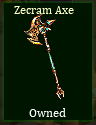
When a cosmetic is activated on your Collection, its background color will turn green, indicating that it is being used.
To deactivate follow the same procedure, by clicking the "Deactivate" button

It's worth noting that Mounts and Pets must be added to the Collection first, and then used through the "Stable".
Check Mount and Pet guides for more information.
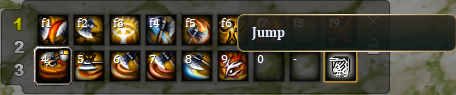
For animations, needto add to the "Action Bar" first.
Just click the "Activate" button, and then assign it to your preferred Hotkey in the "Action Bar".
To use them, press the designed "Hotkey", or "Shift + Hotkey" to use them continuously.
Withdrawning Cosmetics:
Some cosmetics can be withdrawned from the Collection if the user needs, for a cost in coins.
Removing them is simple, just select the cosmetic and click the "Withdraw" button.
The item will be sent directly to the inventory.
Note that Hairstyles, Visual Effects and Animations can't be withdrawned.

[](https://forum.losttale.com/index.php?/collection/#)
-
-
-
-
-